From script to first cut.
Pick a Blueprint and generate automatically, or open the selected visuals before the first render and make the cut yours.
Script→Media→Review / edit→Render
Turn a script into a finished video, review and edit the selected footage, or upload a spreadsheet to generate an entire batch with reusable Blueprints.
4.5/5 on AppSumo 35 reviews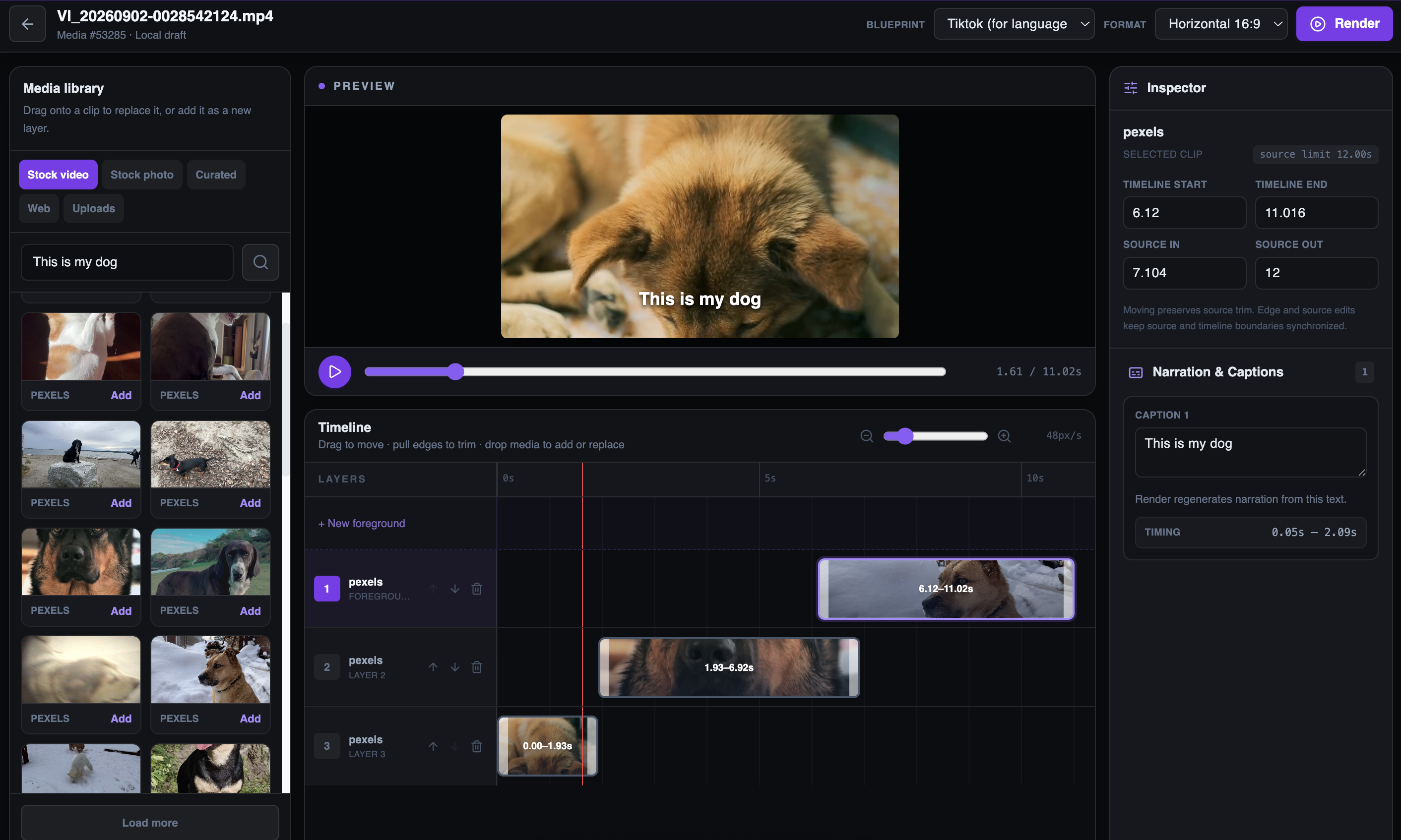
Two ways to start
Use the same production system for the quick one-off and the repeatable content run. Choose how much you want to review.
Pick a Blueprint and generate automatically, or open the selected visuals before the first render and make the cut yours.
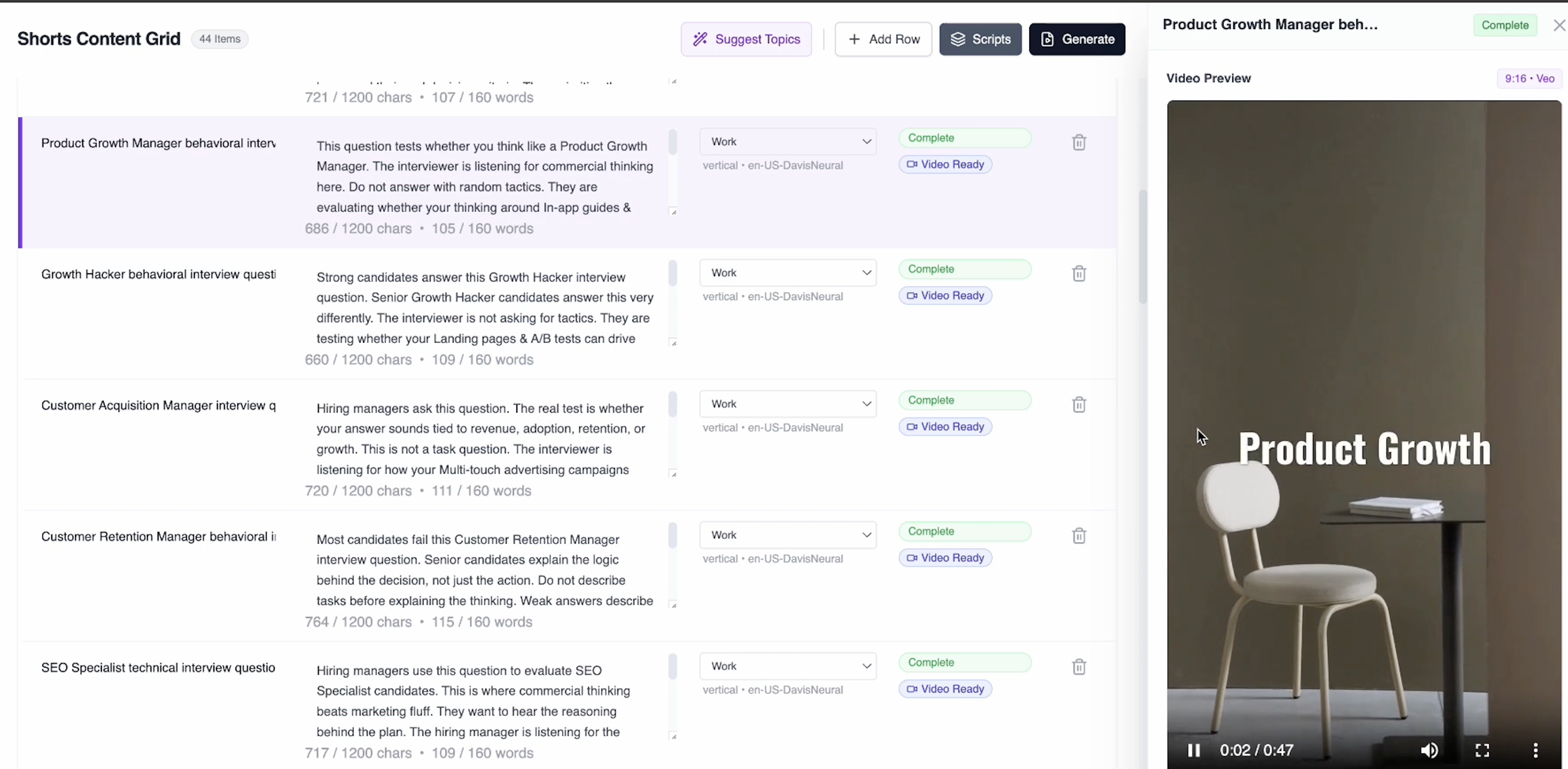
Upload a CSV, map the title and script fields, apply a Blueprint, review the rows, and send the whole batch into production.
Earlier interface shown as evidence of an established batch-production workflow. Current Bulk controls are described above.
The editor
Use the first cut as a starting point. Fix an individual shot, reshape the timeline, or change the words that drive narration and captions.
Reusable Blueprints
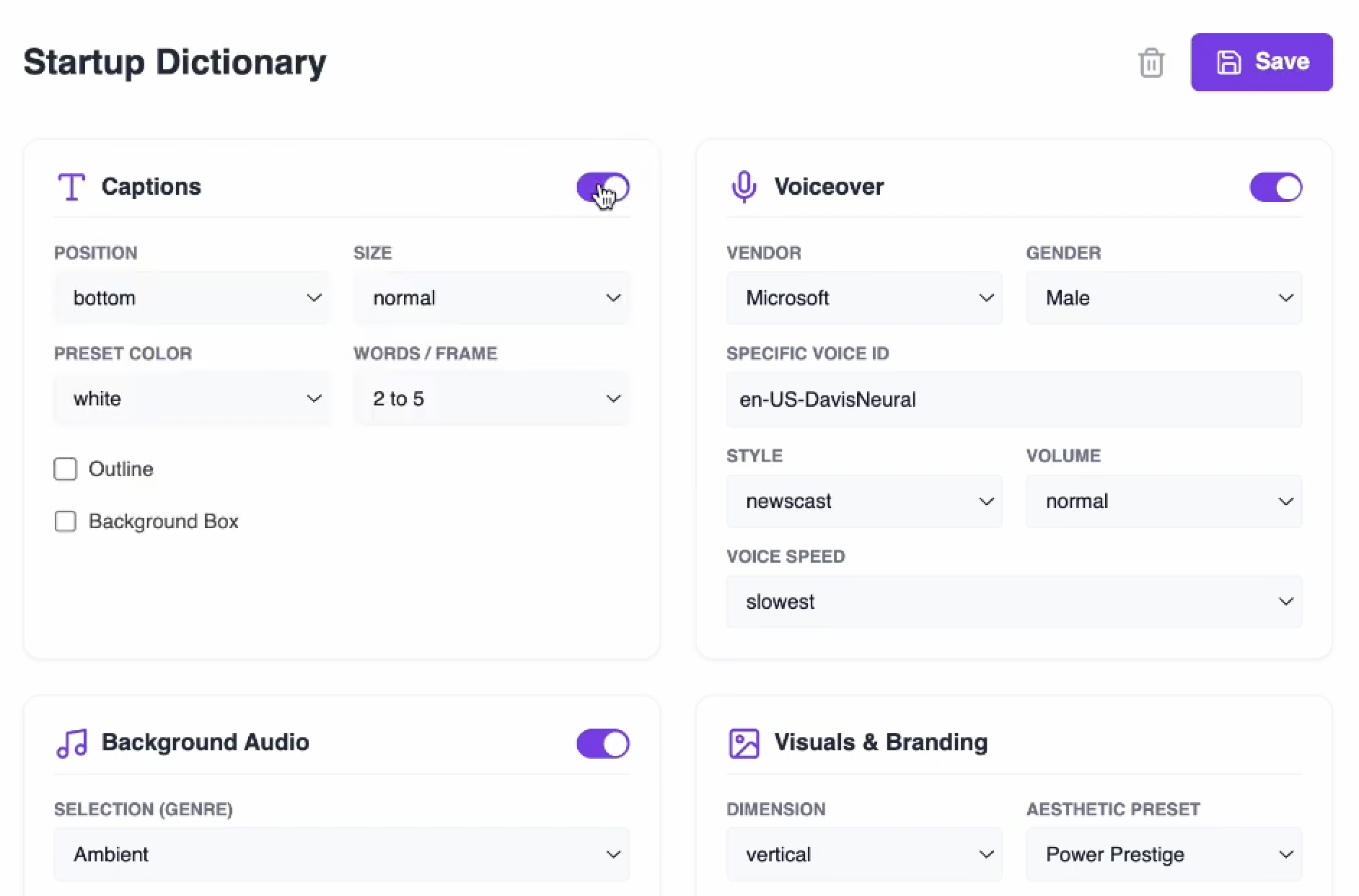
Reuse it for one video or the entire batch. Blueprints keep the choices that should stay consistent without locking you out of the edit.
Historical interface shown for product lineage. The current capability summary above is authoritative; individual settings may differ today.
Real output
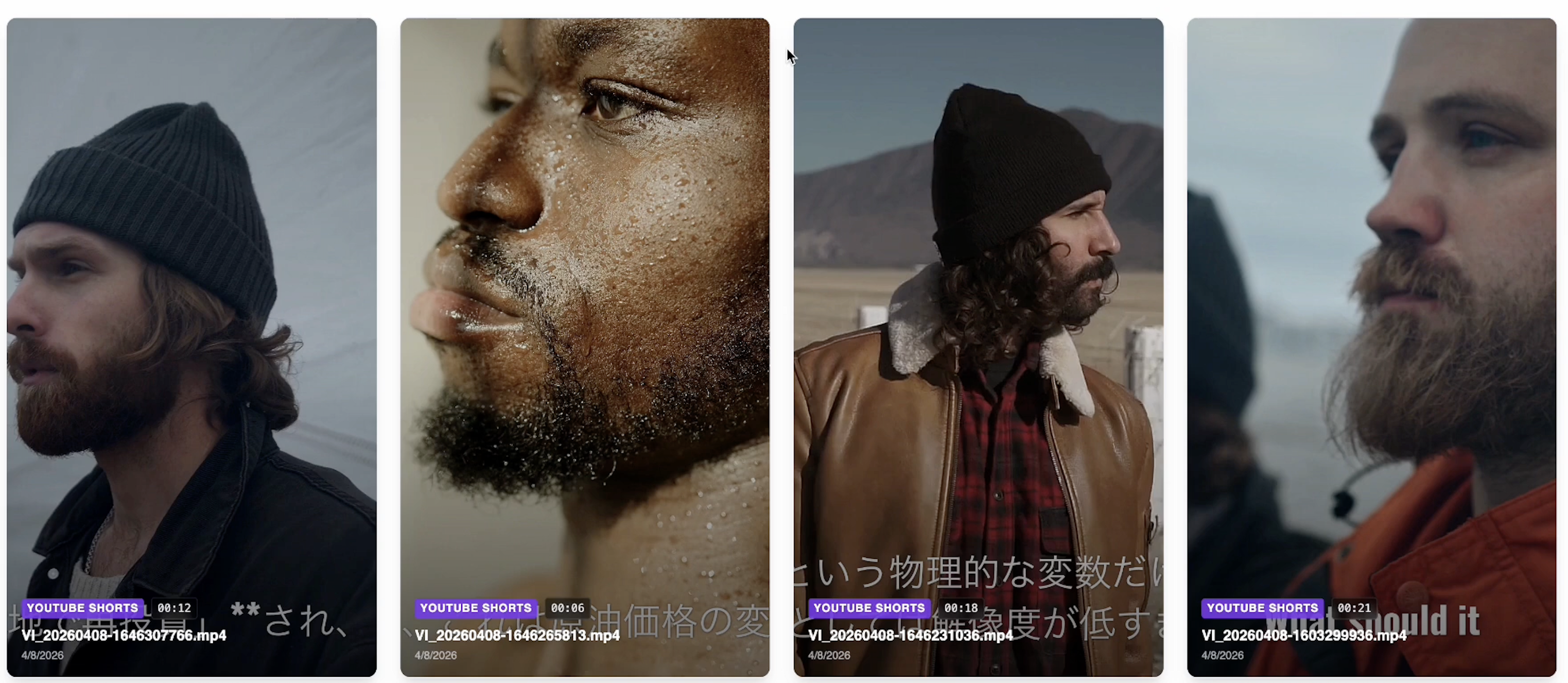
Playable examples from earlier Inksprout workflows. These are genuine outputs, not simulated product screens.
Historical Inksprout batch outputs · Muted looping previews
A historical product view showing four substantial finished-video cards together.
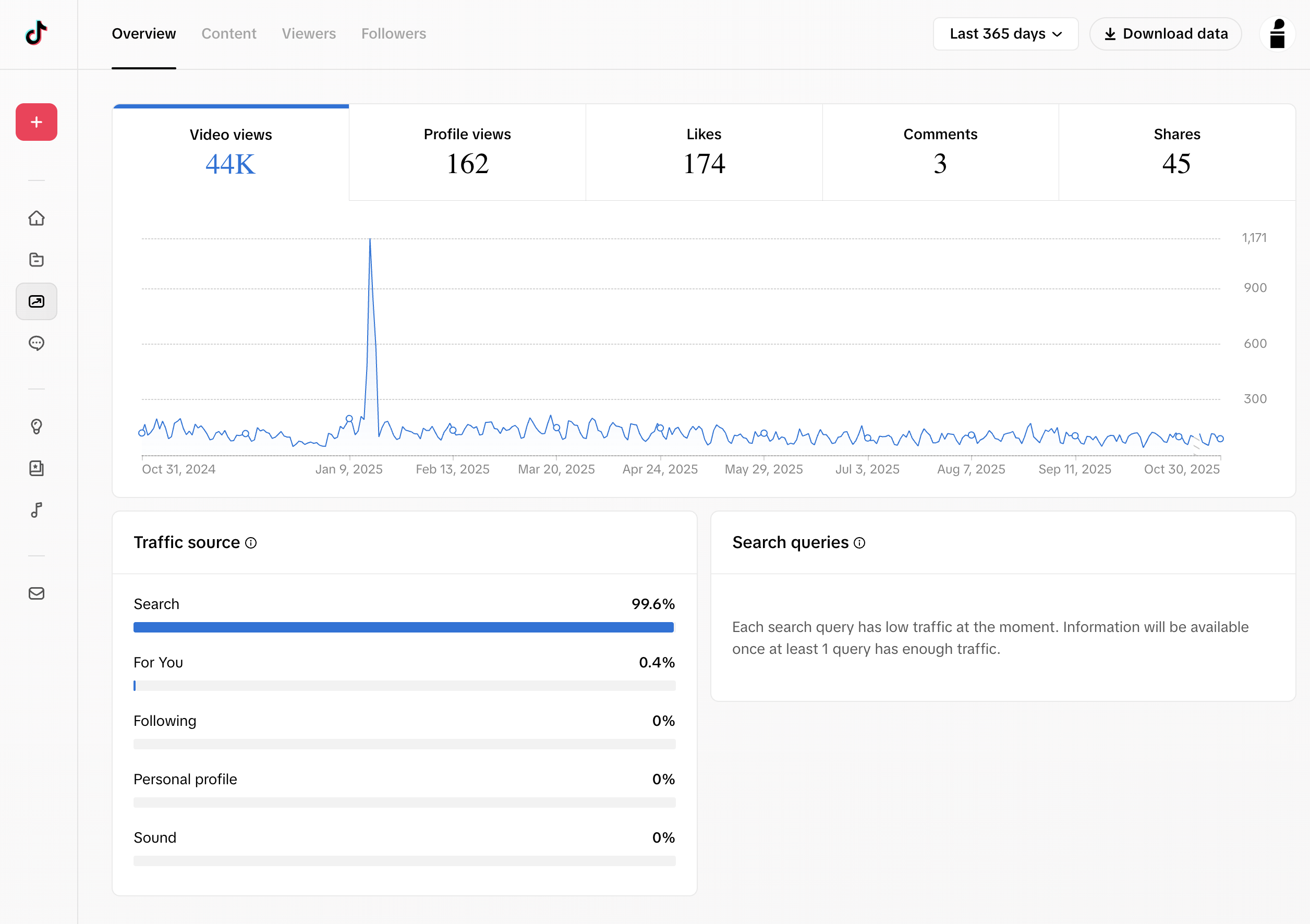
Historical reach from Inksprout-produced content
A snapshot of how content produced with Inksprout reached viewers across TikTok and YouTube.
44K
TikTok Last 365 days
20.1%
Lifetime Shorts discovery
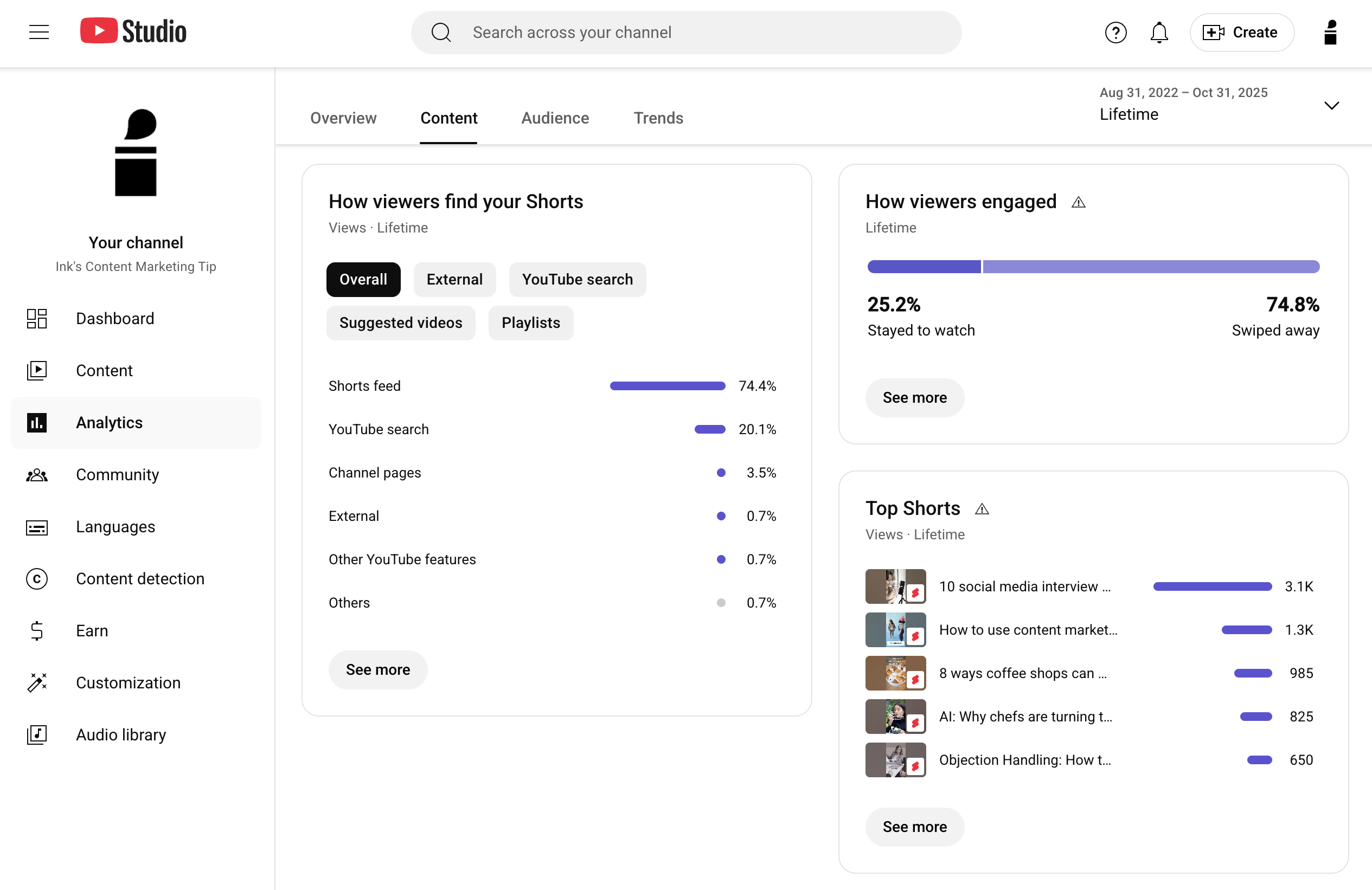
Historical third-party results from content produced with Inksprout—not an Inksprout analytics feature or a guarantee of future results.
How it works
Paste a script or upload a CSV with the fields your batch needs.
Narration, captions, and relevant visual media form the first cut.
Fix individual shots when needed, or let Bulk run the repeatable workflow.
Finish the video and find completed output in your Videos library.
Simple pricing
Every plan includes automatic generation, review-first creation, the timeline editor, Bulk CSV, Blueprints, stock and curated media, uploads, and your Videos library.
Free
$0
5 render minutes / month
Creator
$29/ month
100 render minutes / month
Scale
$79/ month
500 render minutes / month
How render minutes work: Render minutes measure finished output duration. A 30-second video uses 0.5 minutes. Rendering a new version uses its output duration again.
Historical customer proof
Historical customer feedback from earlier versions of Inksprout. These reviews do not describe every feature in the current product.
“Inksprout solves the problem of having to scour the internet looking for content that can then be quickly curated and repurposed using social media. Because multiple formats of each post are created on the fly it multiplies the efficiency of my output.”
“The video creation is quick and easy. Not as flexible as platforms such as Invideo or Steve.ai for text to video, but I find Inksprout is actually quicker to get to a useable output so I prefer it to the others.”
“I've found it best to simply take a couple minutes of my time and customize the video snippets associated with each line of text. It's quick and intuitive.”
Start with a script or upload your spreadsheet.